Connecting to Eduroam WIFI Network using a Chromebook
How to Connect:
How to Forget
Chromebook
- Remove Credentials
- On the Taskbar (commonly located on the right), click “Internet access” .
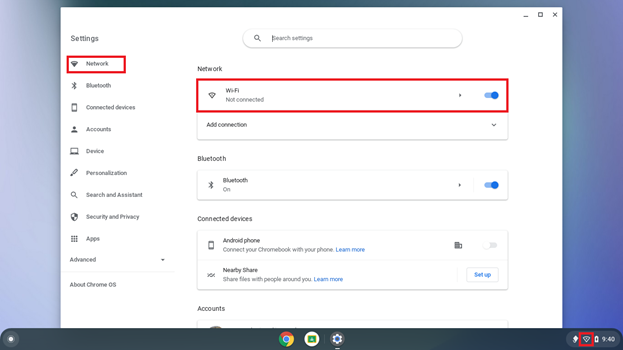
- Make sure that “Wi-Fi” is On and click eduroam.
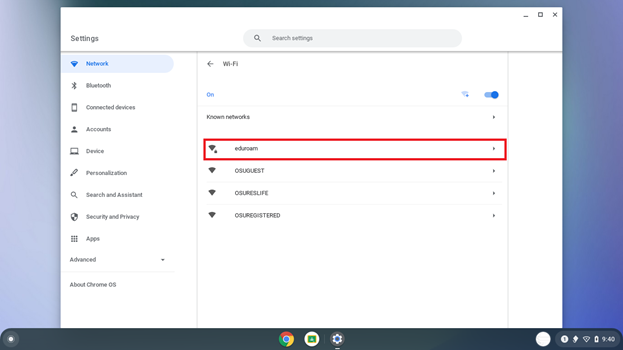
- Choose PEAP from the “EAP method” drop-down menu. Enter your O-Key email address (not your short username). Enter your O-Key password. Choose Use system certificates from the “CA certificate” drop-down menu. Type in: edu for the “Domain”.

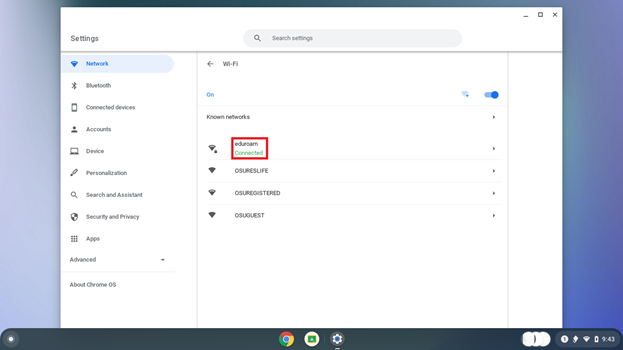
- After a few minutes your device will say “Connected” to eduroam.
Issues
Chromebook
- Remove Credentials
- On the Taskbar (commonly located on the right), click “Internet access”.
- Remove Credentials
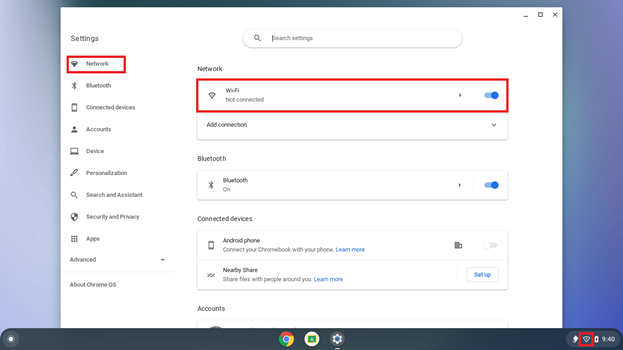
- Click the arrow > within eduroam.
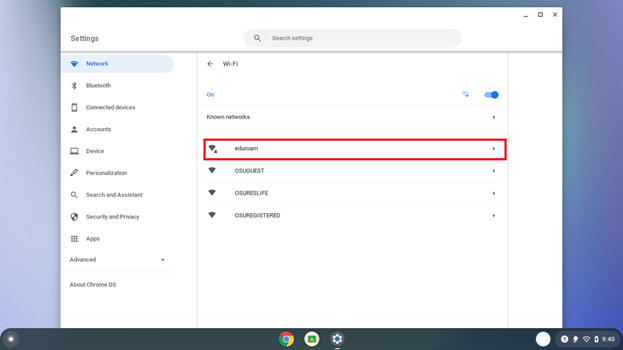
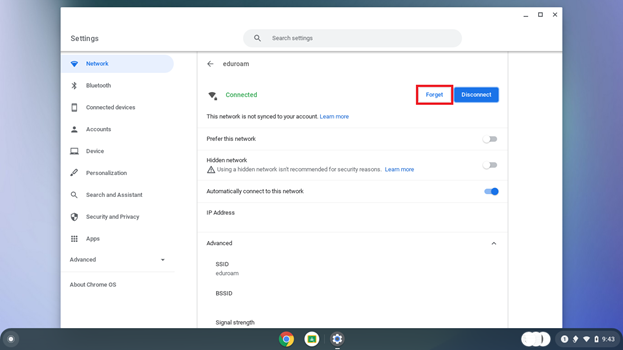
- Click “Forget”. Your device no longer remembers eduroam. Attempt to connect to eduroam again with the above instructions.