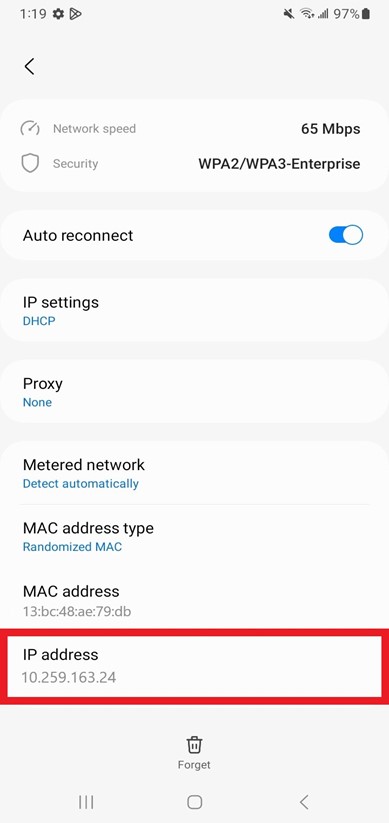
How to locate IPv4 address on Android
Details
An Internet Protocol (IP) address is a unique numerical value assigned to each network device. IP addresses are used for identifying and locating a device on a network.
On a device with both wired (Ethernet) and wireless (Wi-Fi) network connectivity capabilities, there will be one IPv4 Address for the wired (Ethernet) connection and another IPv4 Address for the wireless (Wi-Fi) connection. If a device only has wired (Ethernet) or wireless (Wi-Fi) network connectivity capabilities, then there will only be one IPv4 Address.
How to locate IP Address:
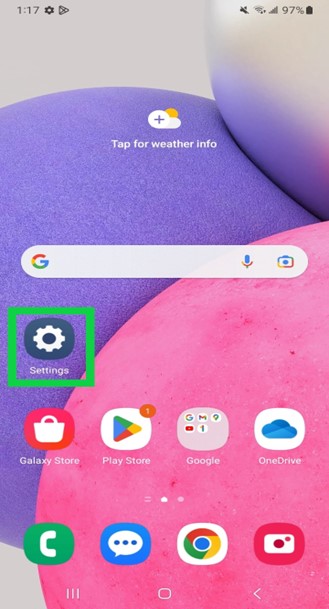
On your Android device, go to the device Settings by clicking on the Settings gear icon.
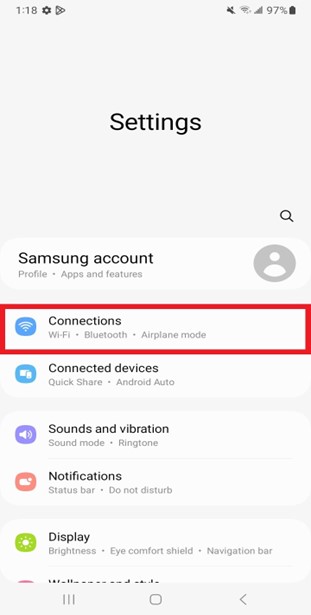
In the Settings page, click on the Connections tab.
On the Connections page, click on the Wi-Fi tab.
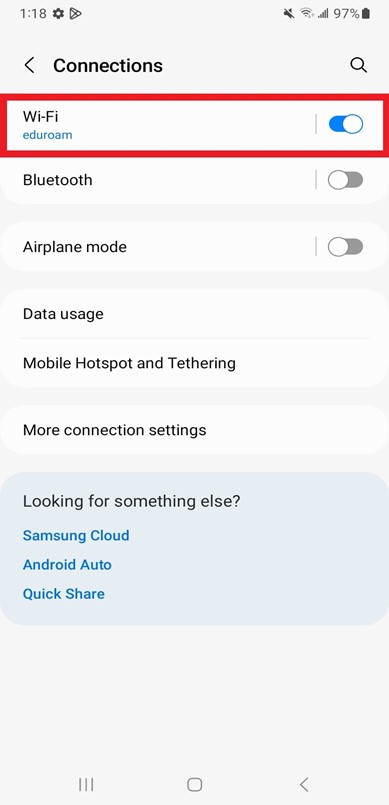
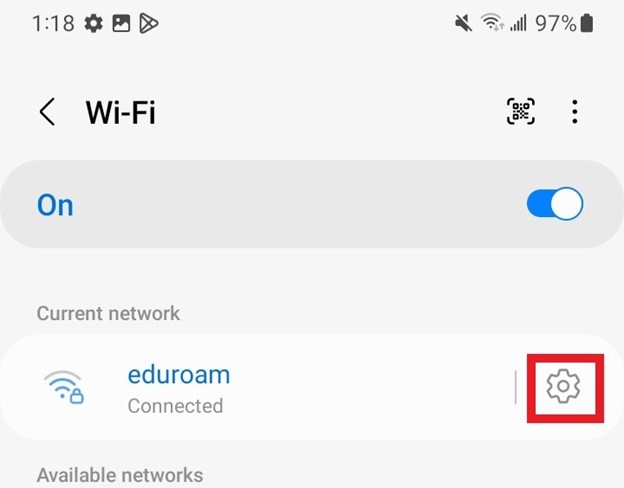
On the Wi-Fi page, click on the settings gear icon next to Eduroam network.
On the Eduroam network settings page, click on the view more link.
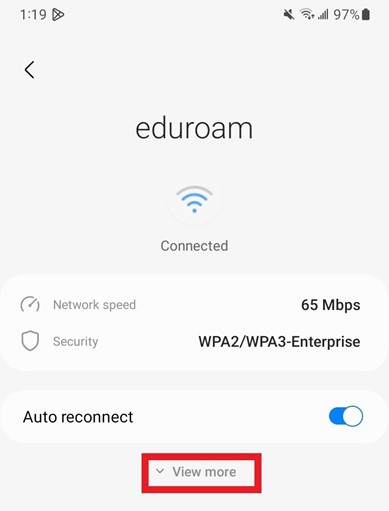
The IP Address is located in the IP Address box.