How to Locate Physical Address (MAC Address) on Android
Details
A Media Access Control (MAC) Address, also called the physical address, is a unique identifier associated with your device’s network adapter or network interface controller (NIC).
On a device with both wired (Ethernet) and wireless (Wi-Fi) connectivity capabilities, there will be one MAC Address for the wired (Ethernet) connection and another MAC Address for the wireless (Wi-Fi) connection. If a device only has wired (Ethernet) or wireless (Wi-Fi) connectivity capabilities, then there will only be one MAC Address.
How to locate Physical Address (MAC Address):
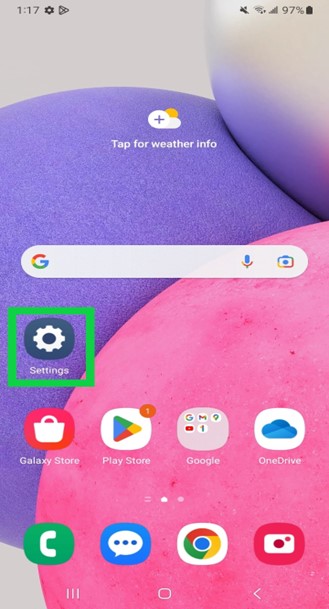
On your Android device, go to the device Settings by clicking on the Settings gear icon.
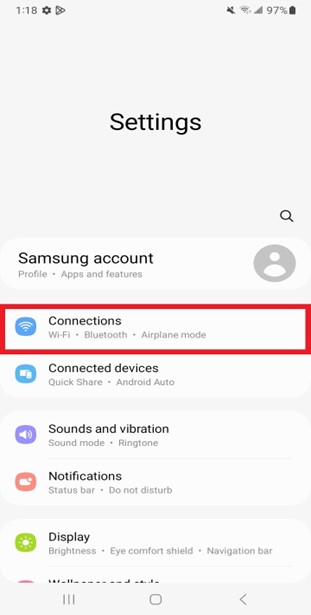
In the Settings page, click on the Connections tab.
On the Connections page, click on the Wi-Fi tab.
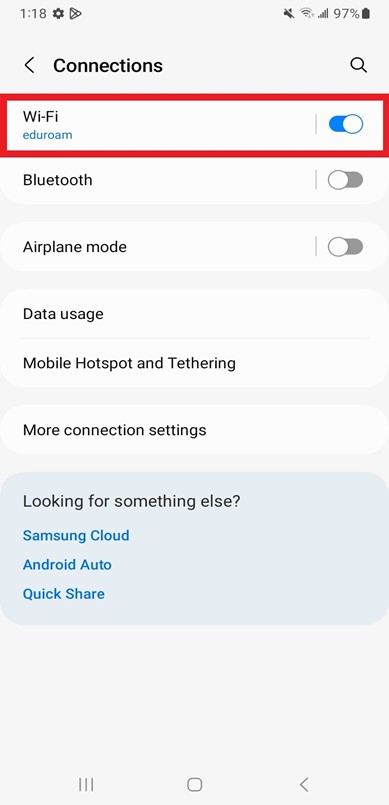
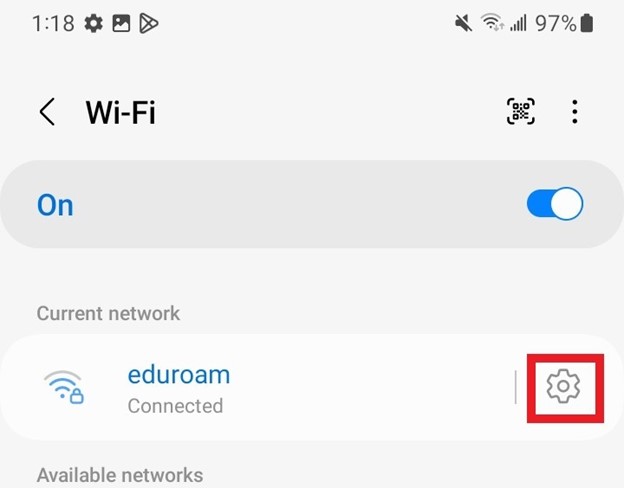
On the Wi-Fi page, click on the settings gear icon next to Eduroam network.
On the Eduroam network settings page, click on the view more link.
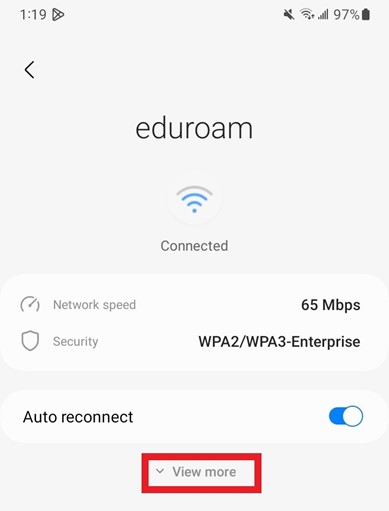
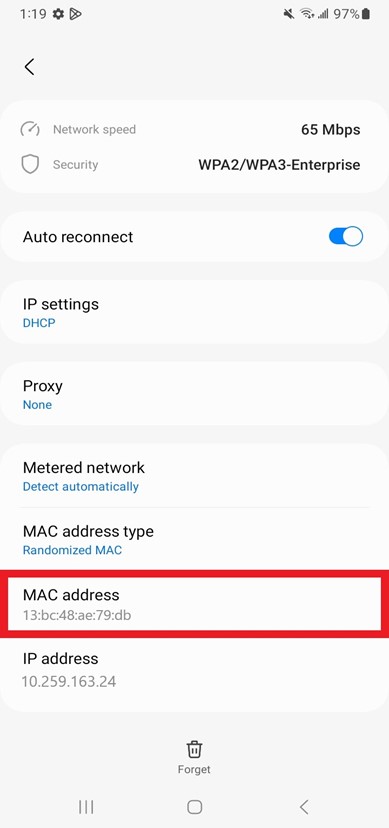
The Mac Address is located in the MAC address box.