

How to start a meeting
Locate the user you want to start a meeting with, right-click their name, and select “Schedule a Meeting”
An Outlook Meeting prompt will open. Click the Skype Meeting button located in the Ribbon.
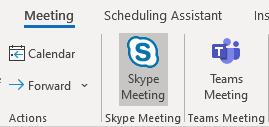
Fill out the information in the Meeting form and add any additional members to the “Required” and “Optional” fields.
Send the Meeting.