How Do I Extend a Microsoft Teams Group
Users whose Microsoft Teams group is about to expire will need to extend the expiration date of the Microsoft teams group in O-Key in order to prevent deletion of the group. Only an owner of a Microsoft Teams group will be able to extend the expiration date.
Open a web browser (such as Microsoft Internet Explorer, Microsoft Edge, Mozilla Firefox, Google Chrome, Apple Safari, etc.) and log in to your institutions IDMS:
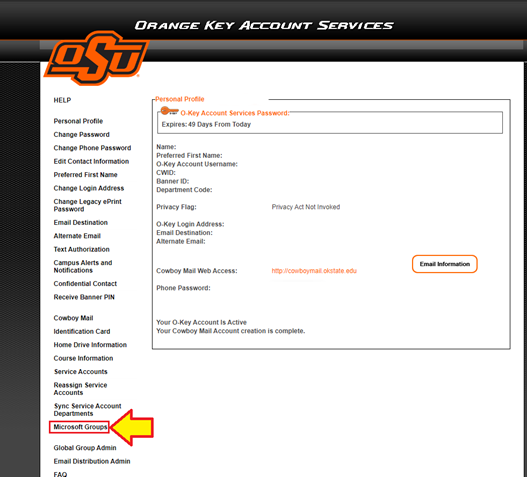
Click the ‘Microsoft Groups’ link on the left-hand side menu.
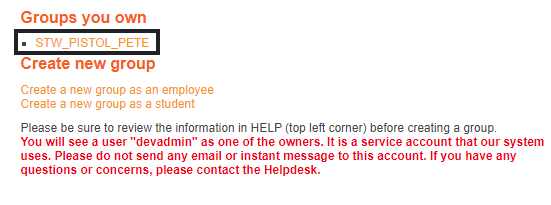
Select the Microsoft Teams Group to extend.
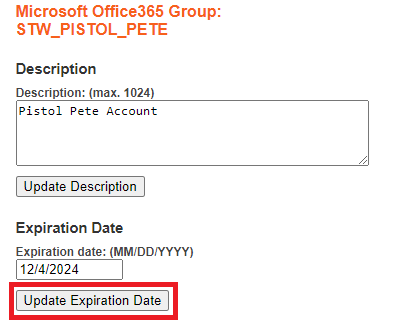
Change the "Expiration Date" to one year minus one day as expiration dates cannot be extended to the current date for next year (Ex. If the group expires on 12/5/2023, the expiration date will need to be set to 12/4/2024). Click ‘Update Expiration Date’.