

Edit Contact Information
Employees
Employees of OSU can edit contact information within their OSU account in the Edit Contact Information page.
Log in to your institution's IDMS:
Log into your personal OSU IDMS account.
Click on the Edit Contact Information link on the left hand side.
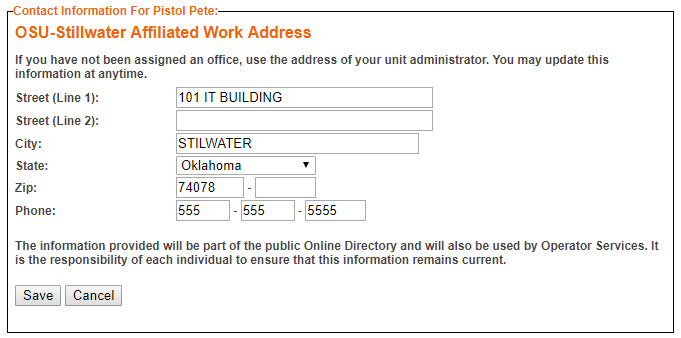
Manipulate your contact information as you wish.
Save your changes.
Students
Students change their contact information in the Banner system.
Log in to your institutions IDMS:
Click on the Self Service button.
Select the "Personal Information" tab.
On the Personal Profile page, click the pencil edit icon to update the information for Primary Phone Number or Primary Mailing Address.
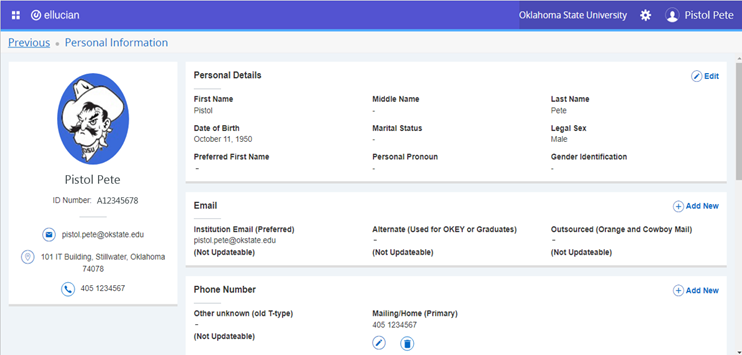
Update the information on the page for Primary Phone Number
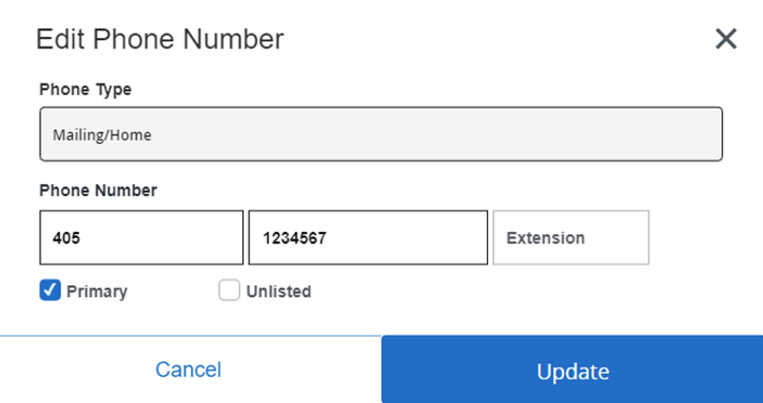
Click the Update button to save the changes.
Update the information on the page for Primary Mailing Address.
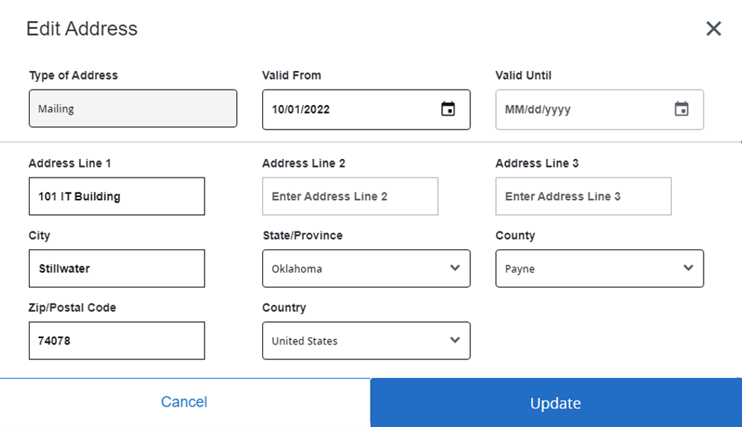
Click the Update button to save the changes.
Please allow up to 30 minutes for your changes to be reflected on your OSU account.
Please note that it will take at least 30 minutes for your change(s) to update in your OSU account page. The HR Use Only address and number cannot be changed in the Update Addresses and Phones page. HR must change that information in their system.