

Locking your OSU ID Card
OSU users have the ability to lock their OSU ID card by doing the following:
Log in to your institutions IDMS:
Log into your personal OSU IDMS account.
Click on the identification card link on the left side of the profile page.
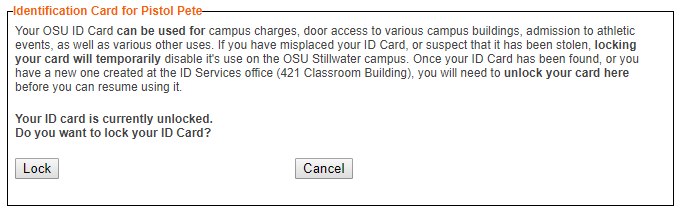
Click on the Lock button on the page that opens.
Note: Once the identification card is locked, the button will show as Unlock. To unlock a card, use the same instructions and click on the Unlock button.