

Zoom SSO User Logon Instructions
NOTE: To use the Web Client, please clear your browser cache & cookies by selecting the key combination of Option+Command+E for macOS devices or Ctrl+Shift+Del for most PC browsers. You may also see https://clear-my-cache.com/ for additional information on Cache clearing.
In your browser, navigate to https://okstate-edu.zoom.us and select “Sign in”.
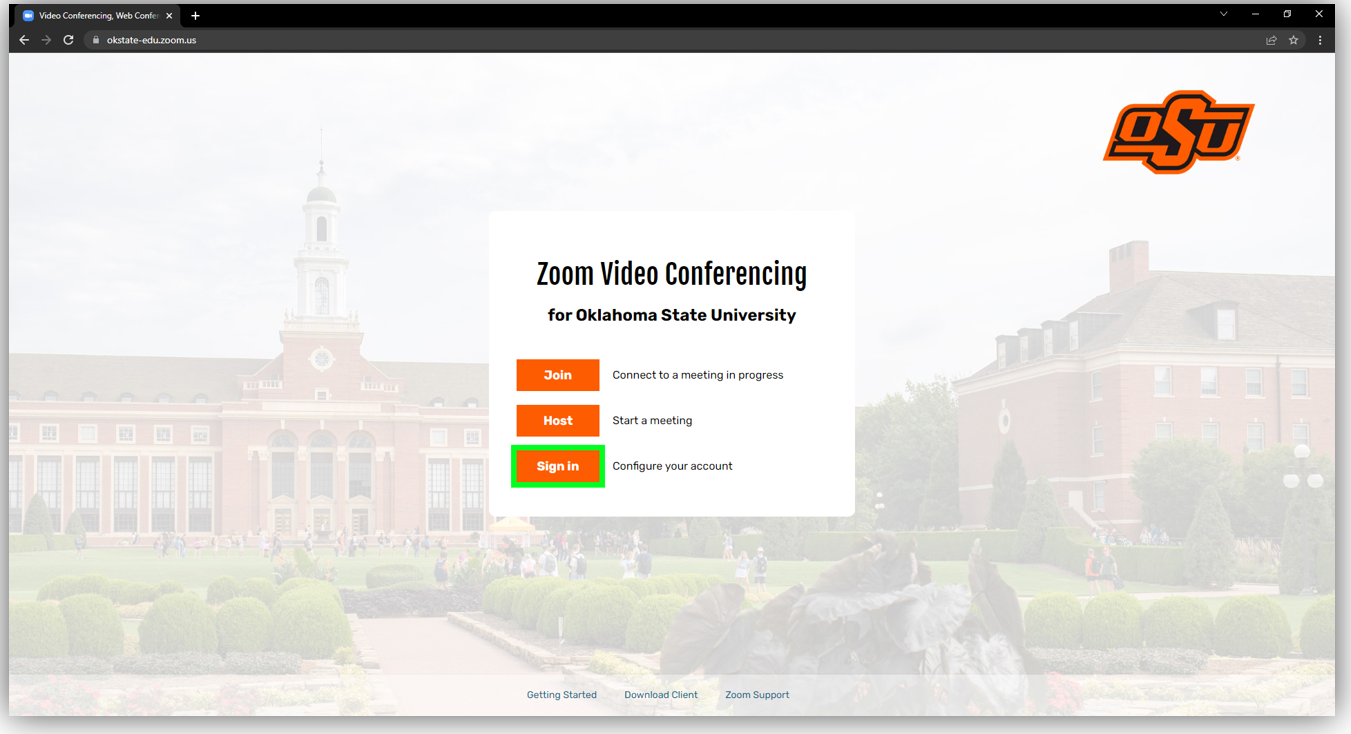
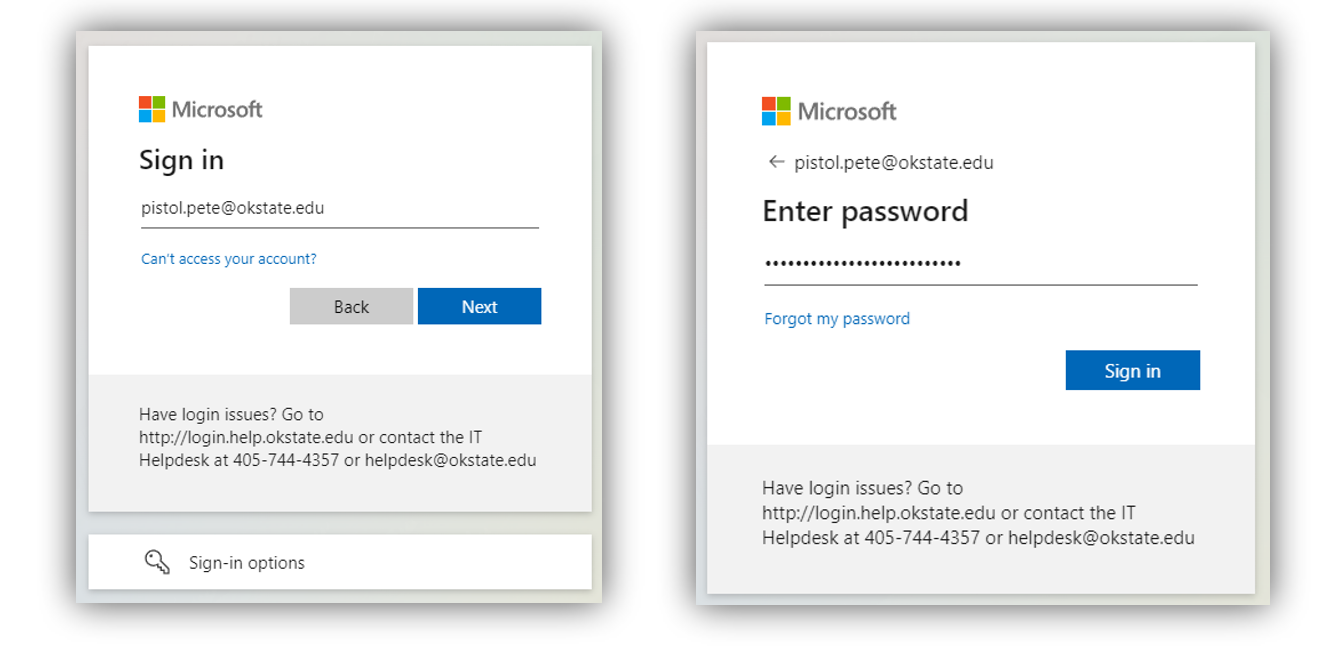
Login using your O-Key email address and password.
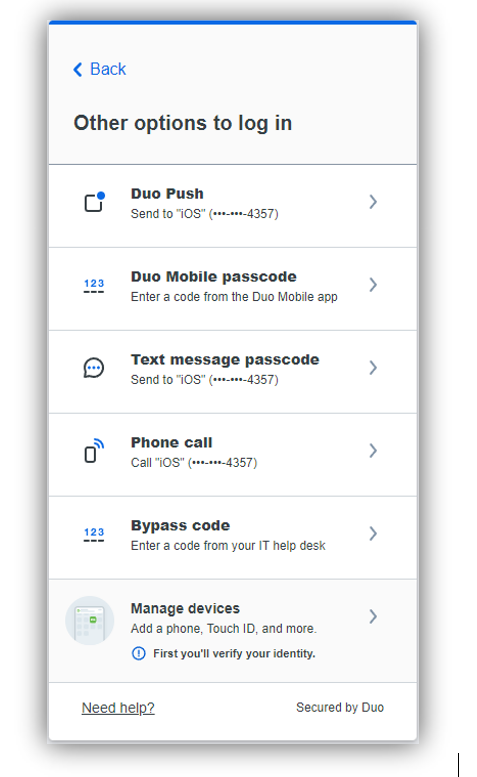
If prompted by DUO, select your preferred Multifactor Authentication method.
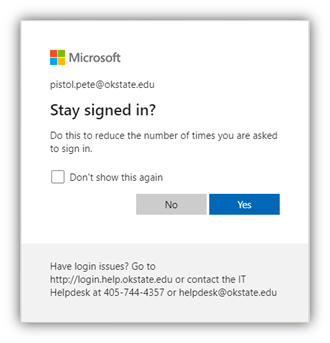
You may be prompted to “Stay signed in?” select either Yes or No to continue.
You will be asked to give permission to Zoom, click the “Accept” button to continue.
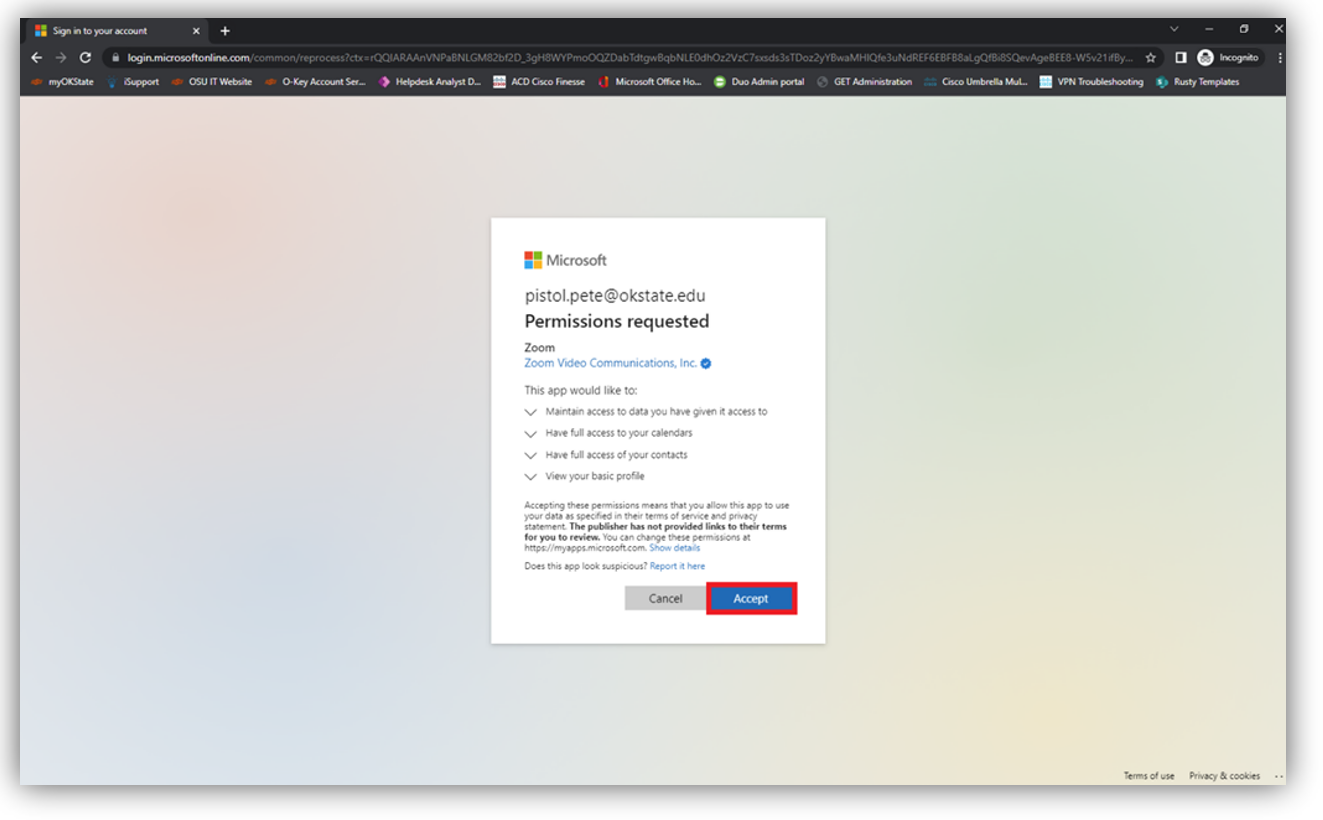
After Clicking “Accept” you will be redirected to your Zoom Profile page.
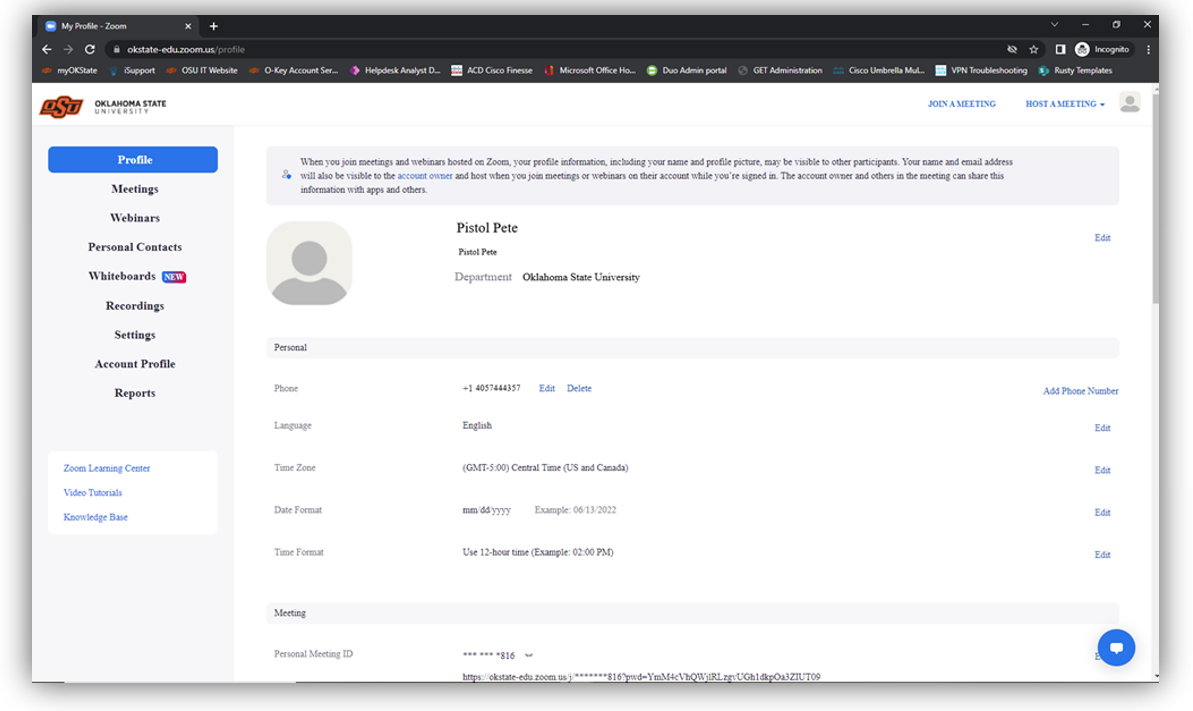
Congratulations, you are registered with Oklahoma State Zoom Video Conferencing Solution!